> ## Documentation Index
> Fetch the complete documentation index at: https://webviewer-docs.mupdf.com/llms.txt
> Use this file to discover all available pages before exploring further.
# Coordinate System
## Origin Point and Y-Axis
In **PDF**, traditionally the origin `(0, 0)` of a page is located at its **bottom-left point**. However, in **MuPDF WebViewer**, the origin `(0, 0)` of a page is located at its **top-left point** as this is more suited for web environments and digital displays.
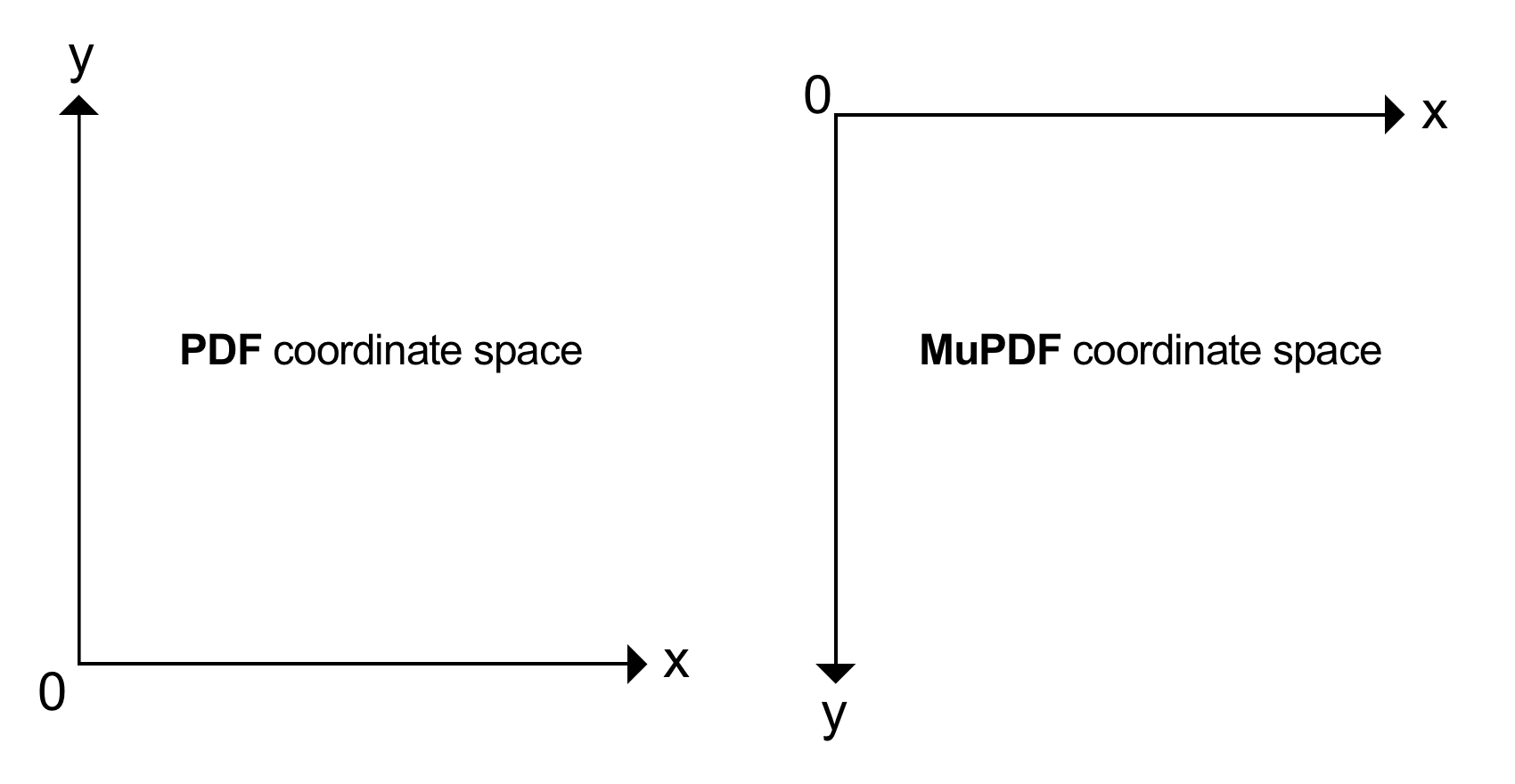 This is also known as User space versus Device space
## Point Size
Coordinates are float numbers and measured in **points**, where:
* **one point equals 1/72 inches**.
Typical document page sizes are **ISO A4** and **Letter**. A **Letter** page has a size of **8.5 x 11 inches**, corresponding to **612 x 792 points**.
Now we know our document size the **MuPDF** coordinate system for the bottom right would be coordinate `(612, 792)`.
## Point Precision
Theoretically, there are **infinitely many** coordinate positions on a PDF page. In practice however, at most the first 5 decimal places are sufficient for a reasonable precision.
This is also known as User space versus Device space
## Point Size
Coordinates are float numbers and measured in **points**, where:
* **one point equals 1/72 inches**.
Typical document page sizes are **ISO A4** and **Letter**. A **Letter** page has a size of **8.5 x 11 inches**, corresponding to **612 x 792 points**.
Now we know our document size the **MuPDF** coordinate system for the bottom right would be coordinate `(612, 792)`.
## Point Precision
Theoretically, there are **infinitely many** coordinate positions on a PDF page. In practice however, at most the first 5 decimal places are sufficient for a reasonable precision.